Two different update tracks, one goal: keeping your design tools current
If you manage SOLIDWORKS or 3DEXPERIENCE Works licenses, you will hear two update terms: Service Packs and Functional Deliveries. They are not the same thing, and applying the wrong expectation to each can leave you waiting for features that arrive on a different schedule.
What is a SOLIDWORKS Service Pack?
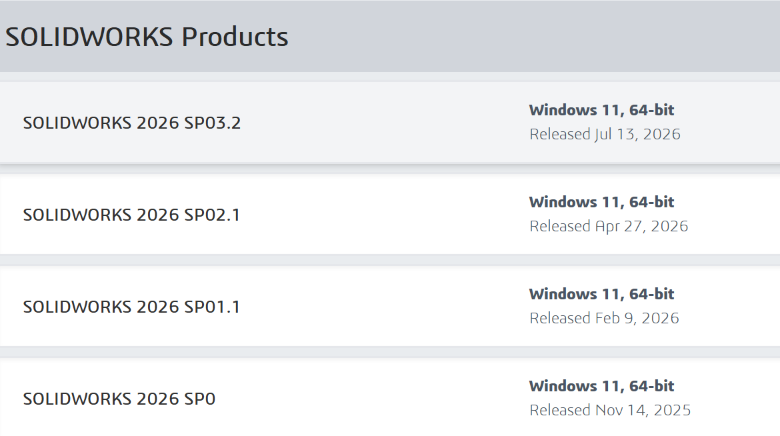
A Service Pack (SP) is the traditional update cycle for SOLIDWORKS desktop. Each major annual release launches as SP0, followed by SP1, SP2, and so on, typically one per month through the year.
Service Packs mainly deliver:
- Bug fixes and stability improvements
- Performance patches
- Regulatory and hardware certification updates
- Occasional minor enhancements to existing tools
Think of a Service Pack as maintenance: it keeps the version you already own running smoothly. It does not turn SOLIDWORKS 2026 into 2027; the next major release comes the following year.
What is a Functional Delivery?
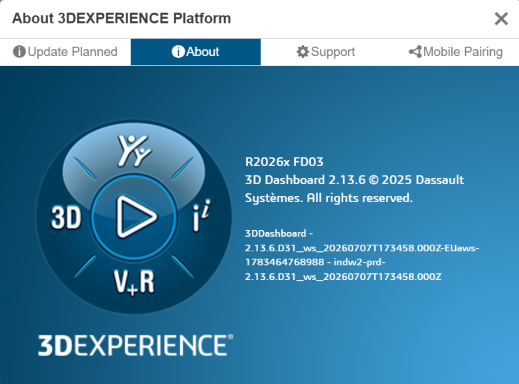
Functional Deliveries belong to the 3DEXPERIENCE Works cloud portfolio (including cloud-based SOLIDWORKS roles such as Design Standard, Professional, and Premium). Instead of holding new features until a single annual launch, Dassault Systèmes releases them in periodic Functional Deliveries throughout the year.
Functional Deliveries mainly deliver:
- New features and capabilities
- Workflow improvements in cloud roles
- Platform-side enhancements that benefit connected desktop users
- Continuous value rather than once-a-year upgrades
Because these roles run on the 3DEXPERIENCE platform, updates can be rolled out without a full reinstall on every machine.
Head-to-head comparison
Service Packs
- Target product: SOLIDWORKS desktop (Standard, Professional, Premium)
- Primary purpose: fix, stabilize, and polish the current release
- Frequency: roughly monthly after SP0
- Delivery: installed locally from the SOLIDWORKS Installation Manager
Functional Deliveries
- Target product: 3DEXPERIENCE Works cloud roles
- Primary purpose: add new features and platform capabilities
- Frequency: multiple times per year
- Delivery: cloud platform update, minimal local install
Which one should you track?
- SOLIDWORKS desktop users should install the latest supported Service Pack for their current year version to stay stable and secure. Major version upgrades (for example, 2026 to 2027) happen separately.
- 3DEXPERIENCE Works / cloud role users should watch Functional Deliveries for new capabilities that may change how your team collaborates, manages data, or designs in the cloud.
- Mixed environments need both: keep desktop installations patched with Service Packs, and keep cloud roles current with Functional Deliveries.
Bottom line
Service Packs maintain your current SOLIDWORKS desktop release; Functional Deliveries evolve your cloud design roles. Knowing the difference helps you plan training, deployment, and IT schedules without chasing features in the wrong channel.
Need help deciding which update path applies to your licenses? Reach out to your SOLIDWORKS reseller for a deployment plan that fits your mix of desktop and cloud seats.