SOLIDWORKS Composer
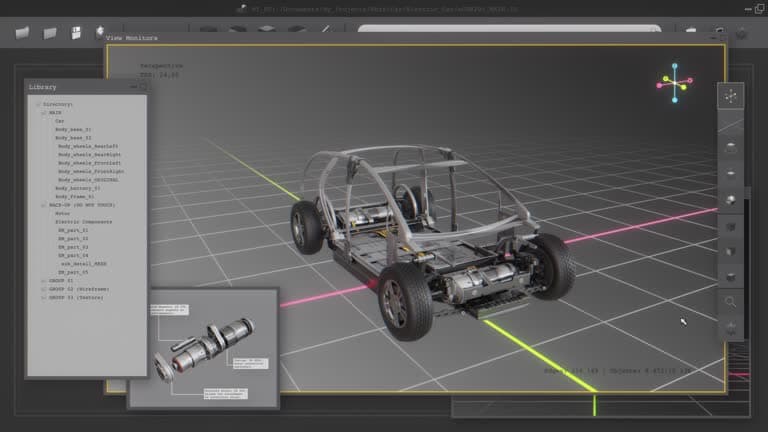
SOLIDWORKS Composer repurposes existing 3D CAD data to produce assembly instructions, exploded views, interactive manuals and training content. Graphics update automatically when the underlying design changes.
Overview
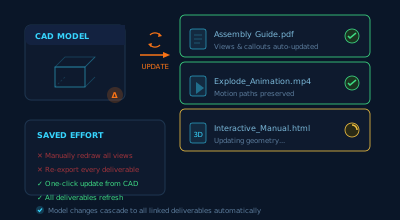
SOLIDWORKS Composer repurposes existing 3D CAD data to create technical communication content — assembly instructions, exploded views, interactive manuals, illustrations and training material. Because the graphics are generated from the model, deliverables can be updated automatically when the underlying design changes, and no CAD expertise is needed to author them. Companion tools (Composer Player, Composer Sync) support viewing and batch updates.
Technical Illustrations
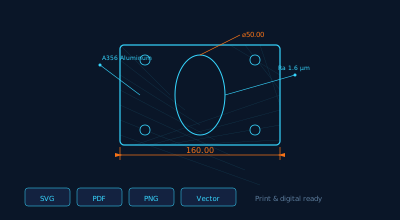
Clear 2D and 3D illustrations from existing CAD data.
Exploded Assembly Steps
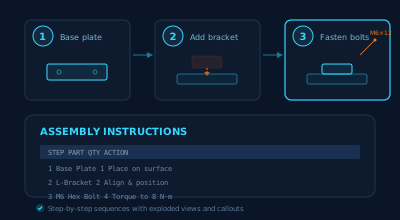
Step-by-step exploded views and callouts.
Interactive Animations
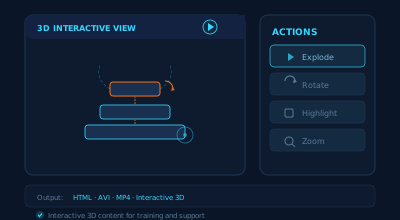
Show procedures in motion for training and support.
Update-friendly Publishing
Update deliverables when the design changes.
Explore capabilities
Reuse of 3D CAD data
Import existing 3D models and repurpose them for documentation without recreating geometry, keeping illustrations consistent with the design.
Assembly & step instructions
Build step-by-step assembly and disassembly sequences with exploded views and callouts that clarify how products go together.
Technical illustrations
Produce clear 2D and 3D illustrations, including vector output suitable for print and digital manuals.
Animations & interactivity
Create animations and interactive 3D content that show procedures in motion for training and support.
Update-friendly workflow
When the source model changes, associated deliverables can be updated rather than redrawn, reducing rework.
Player & Sync companions
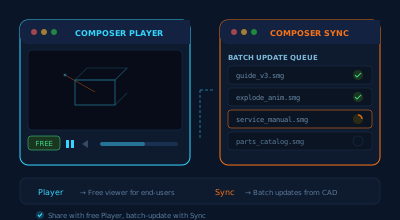
Share interactive content with the free Composer Player, and batch-update deliverables from CAD changes with Composer Sync.
Interested in SOLIDWORKS Composer?
Get pricing, a live demo and certified local support from an authorized SOLIDWORKS reseller.