Why naming schemes fail at scale
Almost every PDM rollout starts with a naming convention document. Almost none of them survive year two. Not because the convention was wrong, but because it was a document, not a system. It relies on people remembering a rule at 6pm on a Friday when they are under pressure to get a drawing out. The moment the rule depends on human discipline, the vault starts drifting.
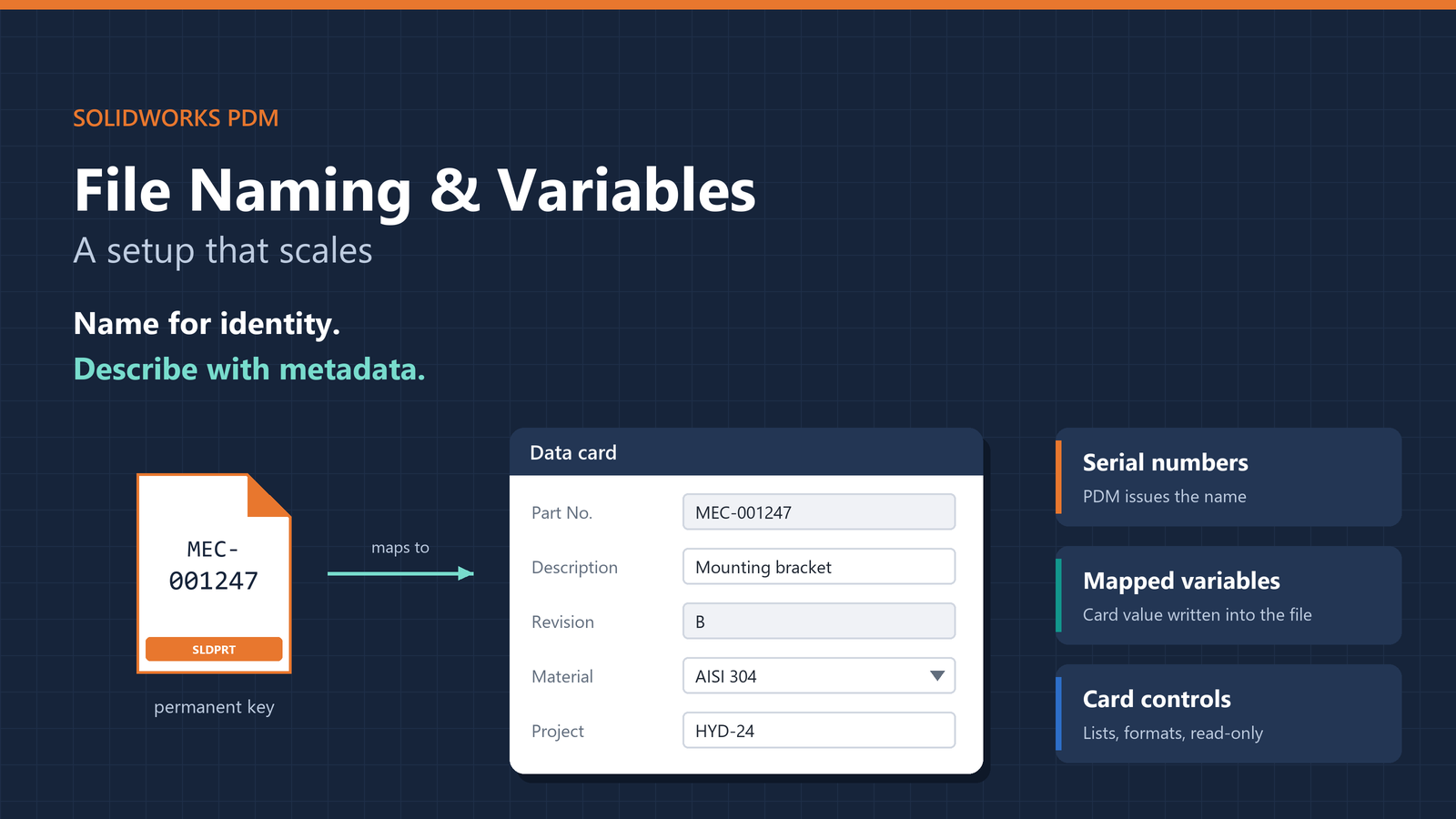
The fix is not a stricter rulebook. It is to move the rule into SOLIDWORKS PDM itself, so the name is a consequence of the variables on the data card rather than something a designer types from memory. This article covers how to build that: the naming decision, the variable model behind it, and the configuration that makes it hold.
Decision one: descriptive names or intelligent numbers?
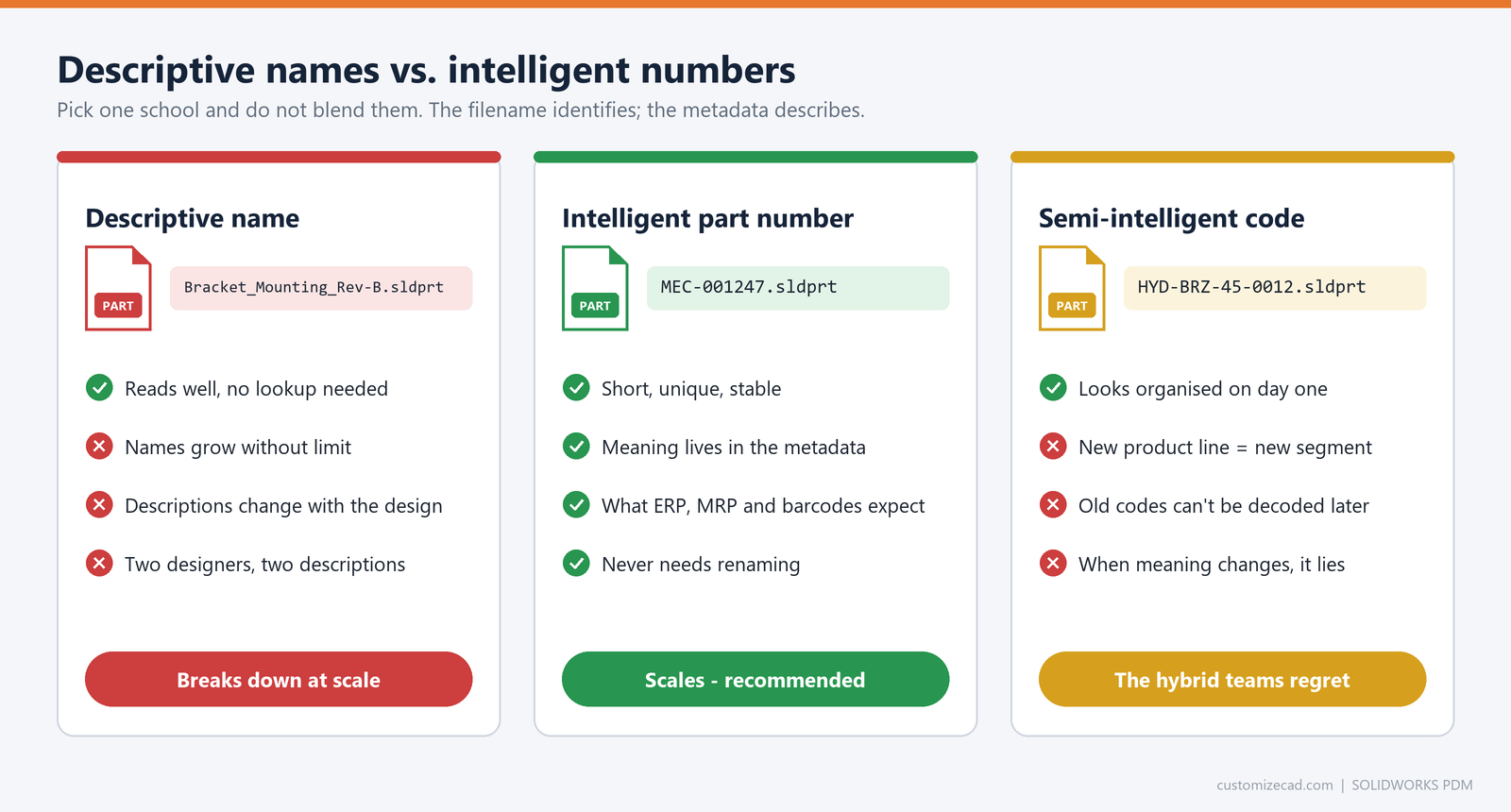
There are two schools, and both work — as long as you pick one and do not blend them.
- Descriptive names ("Bracket_Mounting_Rev-B.sldprt") read well and need no lookup. They break down badly: names grow without limit, descriptions change when the design changes, and two designers will always describe the same part differently.
- Intelligent part numbers ("MEC-001247.sldprt") are short, unique, stable and machine-friendly. The meaning lives in the metadata, not the string. This is what scales, and it is what ERP, MRP and barcode systems expect.
The hybrid most teams regret is the "semi-intelligent" number — a code that encodes project, material and type (for example HYD-BRZ-45-0012). It looks organised, but every new product line needs a new code segment, and ten years later nobody can decode the old ones. If a number carries meaning, that meaning eventually changes and the number lies.
Recommendation: a short, meaningless, permanent key plus rich variables for description, material, project and type. Name for identity, describe with metadata.
Decision two: what the filename actually is
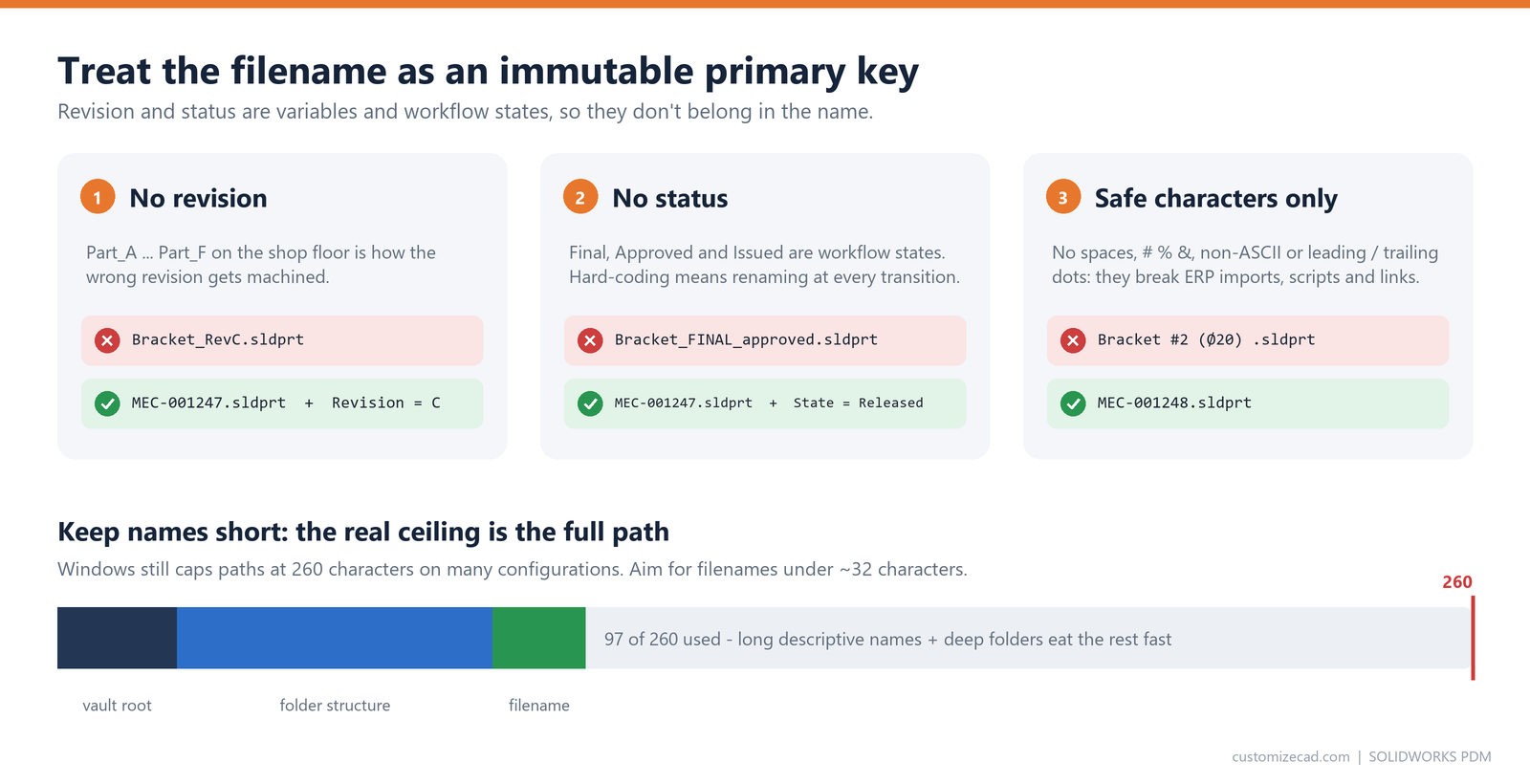
Whatever the format, treat the filename as an immutable primary key. Three consequences follow from that:
- No revision in the filename. PDM already tracks revision as a variable and in the version history. "Part_A" through "Part_F" on the shop floor is how the wrong revision gets machined.
- No status in the filename. "Final", "Approved", "Issued" are workflow states, and workflow states are queryable. Hard-coding them means renaming on every transition.
- No spaces, no
#,%,&, no non-ASCII characters, no leading or trailing dots. These break ERP imports, API scripts, email links and file paths on mixed environments.
Keep names under roughly 32 characters. The real ceiling is not the filename itself but the full path: Windows still caps at 260 characters on many configurations, and a vault path plus a deep folder structure eats that budget fast. Long descriptive filenames plus folder-per-project is the classic way to discover that limit in production.
The variable model: four things to get right
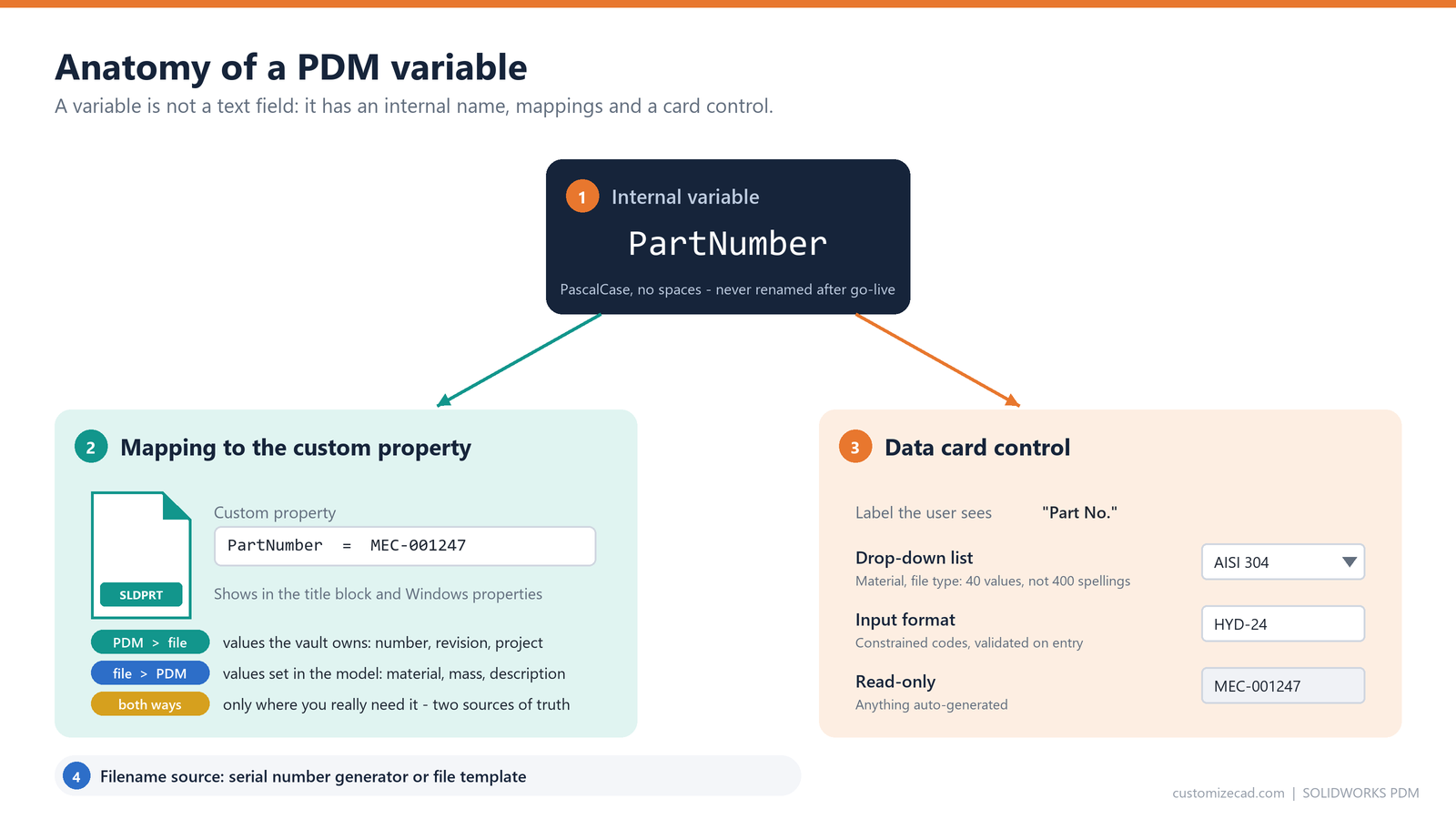
In PDM, a "variable" is not just a text field. It has an internal name, one or more mappings, and a data card control that presents it to the user. Confusing these is the single most common configuration mistake.
1. Internal variable name vs. display label
The variable name (for example PartNumber) is the permanent database identifier. Users see the label on the data card ("Part No."). Name variables in PascalCase with no spaces, and never rename them after go-live — reports, ERP integrations and API add-ins reference the internal name. Decide the variable set on paper first, because renaming later is a migration, not an edit.
2. Mapping to the SOLIDWORKS custom property
Mapping is what makes metadata travel with the file. Map PartNumber to the custom property PartNumber inside the part, and the value written on the data card is written into the file, visible in the drawing title block and in Windows file properties. Choose the mapping direction deliberately:
- PDM to file for values the vault owns — part number, revision, project code.
- File to PDM for values the designer sets in the model — material, mass, description.
- Bidirectional only where you genuinely want users editing from either side. Every bidirectional mapping is a place where two sources of truth can disagree.
3. Data card controls that constrain input
A variable is only as good as the control that writes to it. Use a drop-down list for material and file type rather than free text, so you get 40 values instead of 400 spellings. Use input formats for constrained codes. Use a read-only control for anything auto-generated. If a field must never be edited after release, enforce it in workflow permissions rather than trusting the card.
4. Where the filename comes from
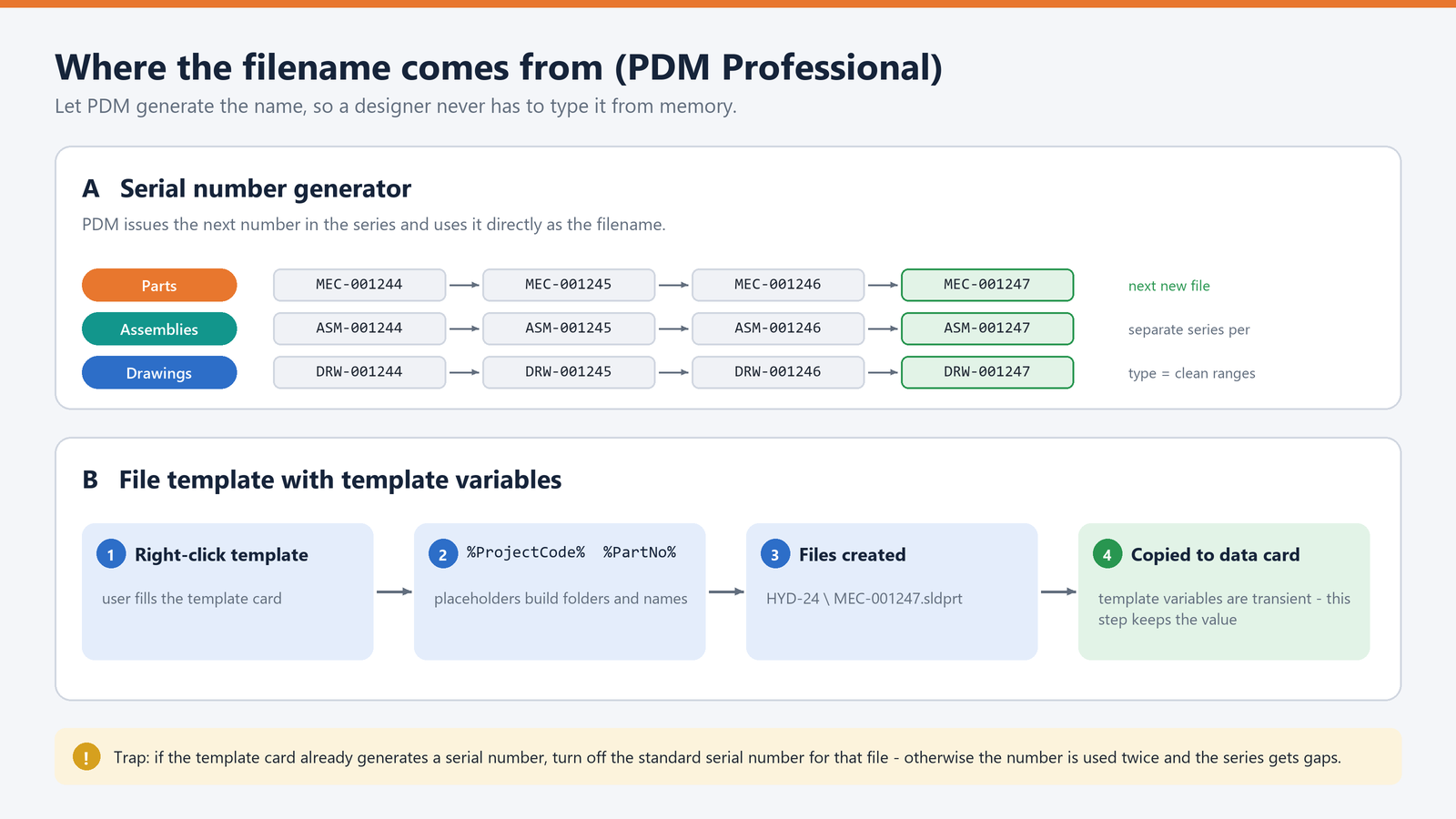
This is the part most teams underestimate. On PDM Professional you have two supported mechanisms:
- Serial number generator: PDM issues the next number in a defined series and can use it as the filename directly. Separate series per file type (part, assembly, drawing) keeps the ranges clean and makes the vault self-documenting.
- File templates with template variables: a right-click template creates the folder structure and files, names them from
%template_variable%placeholders, and copies those values onto the new files' data cards. Template variables themselves are transient — they exist only inside the template and are never stored in the database, so the data card copy step is what preserves the value.
One trap: if a template card already generates a serial number, disable the standard serial number generation for that file, otherwise the number is consumed twice and your sequence develops gaps that are painful to explain in an audit.
PDM Standard vs PDM Professional — the honest boundary
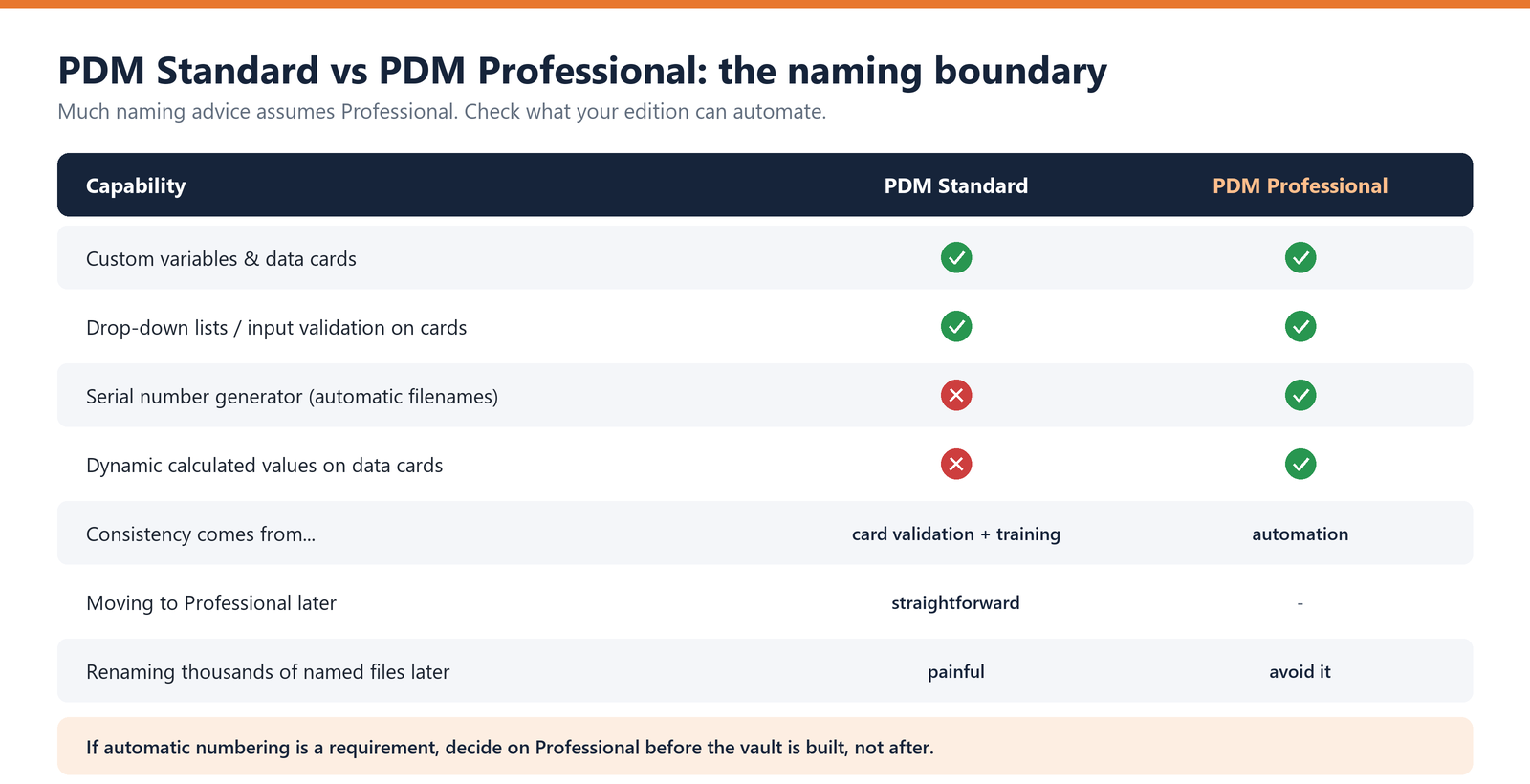
A lot of naming advice online assumes PDM Professional and quietly ignores that PDM Standard cannot do it. PDM Standard has no serial number generator and no dynamic calculated values on data cards. In practice that means names are still typed by hand in Standard, and consistency depends on data card validation and training rather than on automation. Custom variables and cards exist; the numbering engine does not.
If consistent automatic numbering is a requirement rather than a nice-to-have, that is a Professional conversation — and it is worth having it before the vault is built, not after. Migrating a vault from Standard to Professional is straightforward; retro-fitting a naming scheme across thousands of already-named files is not.
A variable set that holds up
Start small. Nine variables, every one of them mapped and every one of them owned by a card:
- PartNumber — the key. Serial-generated, read-only after creation.
- Description — short functional description, not a sentence.
- Revision — the reserved PDM revision variable, never retyped by hand.
- Material — drop-down, drives the drawing title block.
- FileType — Part / Assembly / Drawing / Other, used to route workflows.
- ProjectCode — links the file to a project folder and cost centre.
- Designer — the logged-in user, captured at creation.
- CreationDate — auto-filled, never edited.
- Status — mirrors workflow state so reports do not need to join to workflow tables.
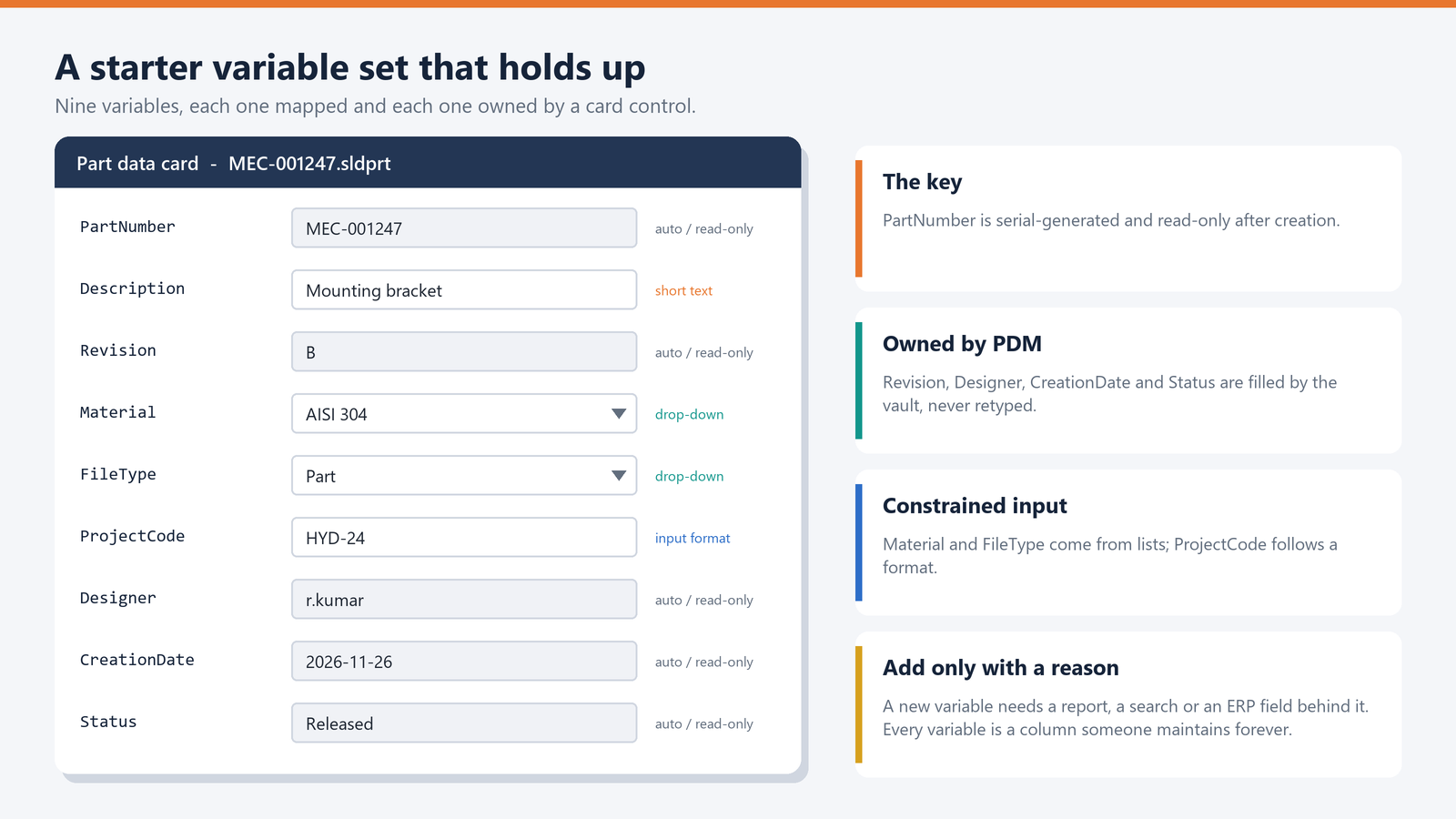
Everything else is project-specific. Add a variable when a report, a search or an ERP field needs it — not because it might be useful one day. Every variable you add is a column somebody has to maintain forever.
What about the files already in the vault?
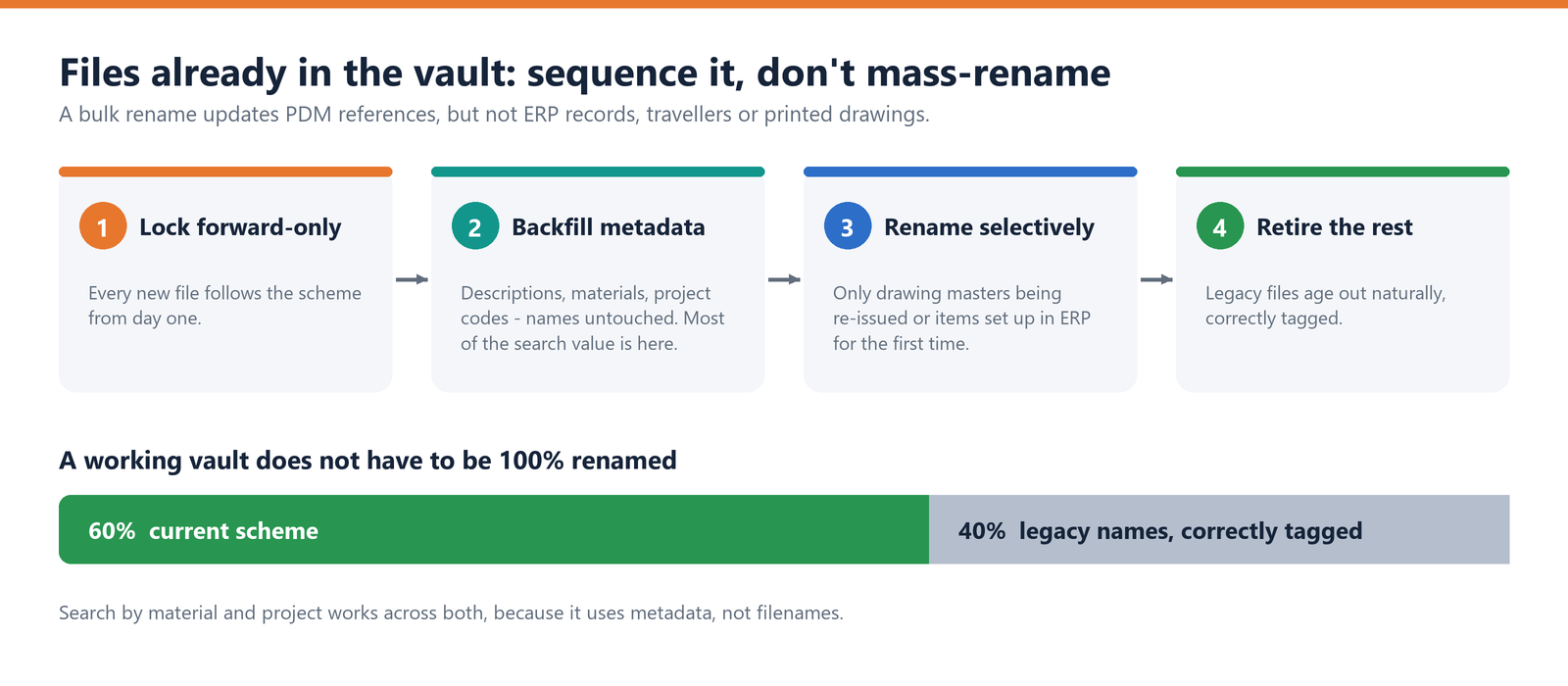
Do not mass-rename. A bulk rename across a live vault is the highest-risk operation in a PDM project: references update, but external links, ERP records, shop-floor travellers and printed drawings do not. Sequence it instead:
- Lock the new scheme forward-only. Every new file follows it from day one.
- Backfill metadata on existing files — descriptions, materials, project codes — without touching names. That is where most of the search value actually comes from.
- Rename only the files that genuinely need it: drawing masters that will be re-issued, or items being set up in ERP for the first time.
- Retire the rest naturally. A vault where 60% of files use the current scheme and 40% are legacy but correctly tagged is a working vault.
Five failure modes to design around
- Two sources of truth. A part number typed on the card and also typed in the filename, with no mapping between them, will eventually disagree. Drive one from the other.
- Serial number gaps. Every abandoned creation attempt consumes a number. Decide up front whether gaps are acceptable (usually yes) and document it, or you will be asked about it in every audit.
- Users renaming after release. Remove rename permission at the released state. PDM tracks the rename; your ERP and your paper travellers do not.
- Variables with no card control. A variable that exists in the database but appears nowhere on the card is invisible and therefore never populated.
- Configuration by convention. If the rule is not enforced by a card list, a workflow permission or a serial generator, it is a suggestion.
The test to apply before go-live
Ask three questions of your setup. Can a new designer create a correctly named file without reading any documentation? Can you find every bracket in the vault by material and project in under a minute, without knowing what it was called? And if the naming scheme had to change in five years, would the old files still be searchable? If the answer to all three is yes, the configuration is doing its job — and the convention document can go back in the drawer where it belongs.
If you are planning a vault and want the variable set and numbering series reviewed before anything is created, our data management team can walk through it with you.