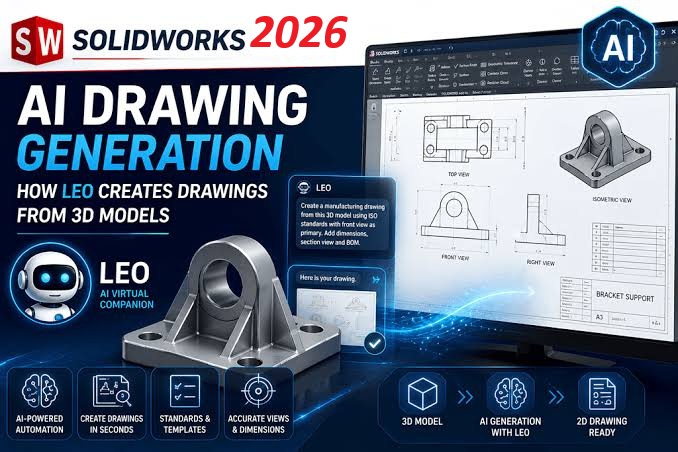
Every engineer knows the feeling: the modelling is done, the design works, and the last — often least loved — job remains. Producing detailed manufacturing drawings. SOLIDWORKS 2026 tackles exactly that with its most talked-about enhancement yet: AI-powered drawing generation. Here is a first look at what it does, and why it matters.
AI Drawing Creation: the headline feature
Select one or more parts or assemblies, trigger drawing creation from a simple pop-up, and SOLIDWORKS generates the initial drawing for you. The process runs in the background, so you can keep working while it churns through the repetitive work. Because it is batch-driven, a whole set of part drawings can be kicked off at once — ideal at the end of a project when documentation piles up.
The output is not a blank sheet with views dumped on it. Generation includes:
- Standard views, sections and shaded isometric views
- Driven dimensions with appropriate tolerances
- GD&T control frames and datums
- Revision tables and bills of materials for assemblies
Predictive view and annotation placement
Manually scaling and arranging views is increasingly a thing of the past. The software suggests the optimal template and sheet size for the model (you can still apply your own), automatically scales and arranges views to minimise overlap, and uses AI-based geometry recognition to identify where section views are needed. It then applies annotations — hole callouts, geometric tolerances, reference dimensions — so the drawing arrives closer to production-ready than ever before.
Assembly drawing automation
For assemblies, the automation goes further: bills of materials, auto balloons and revision tables are inserted automatically. For teams producing high volumes of assembly documentation, this means consistency across projects with minimal manual input.
Smarter detailing beyond the AI
The 2026 release rounds out the drawing environment with several quality-of-life enhancements:
- Magnetic lines expanded — the 2012 favourite now snaps notes, weld symbols, surface finish marks and GD&T frames into alignment, not just balloons
- Custom text in geometric tolerance frames — symbols or letter values in range fields, useful when referencing variables from tolerance tables or standards books
- ISO 21921 surface finish symbols — a modernised symbol style with tolerance indicators and optional datum references for regulated and international work
- Improved dimension breaks — breaks now wrap around dimension text and update dynamically as dimensions move
- MBD annotation visibility — hide or show 3D annotations with a click, with grey preview, for teams sharing model-based definitions with vendors
- DimXpert filter bar — search and isolate dimensions, tolerances and features in complex models
Is it time to hand drawings entirely to AI?
Not quite — and Dassault Systèmes is clear that this is the intent. The tools are assistive: AI does the heavy lifting of first-pass drawing creation, freeing engineers to focus on the final tweaks, design decisions and — importantly — reviewing documentation more effectively. A sensible approach for any team is to try the feature on your own parts, agree which drawing types it may generate, and keep a human sign-off step before drawings reach manufacturing.
Want to see it on your own parts?
The best way to judge AI drawing generation is a live demo on your own models. Contact the CustomizeCAD team to book a What's New in SOLIDWORKS 2026 session — included as part of your subscription — and we will run it on your parts and assemblies.