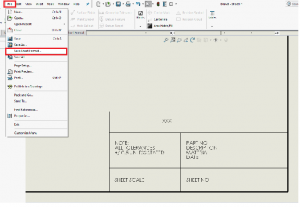
We can draft in 2D in SOLIDWORKS drawing documents using Sketch tools, Dimension tools, and Annotations. You can add sketch entities and annotations to the drawing sheet or to drawing views. Drawing views allow you to move and scale all the items in the view in one operation.
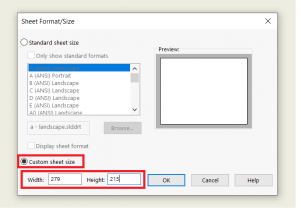
- Open drawing template and select custom sheet size and assign the size of sheet.
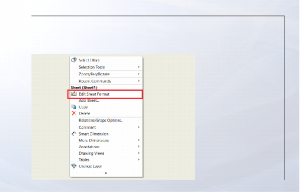
2. Right click on sheet and select edit sheet format.
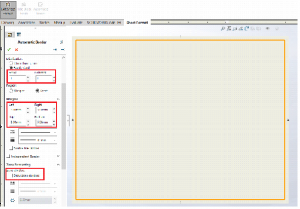
3. Select automatic border and select next as marked with red box.
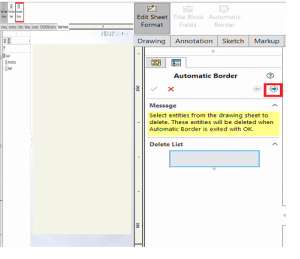
4. Select automatic border and select next as marked with red box.
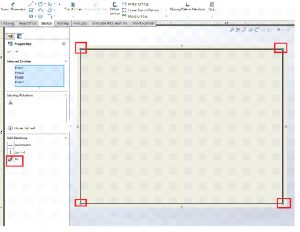
5.Select all corner points. And apply fix constraint.Shakti cute-n-tiny.com buy viagra mastercard Prash has 17 vital elements of which Shankhpushpi, Nag Keshar, Ashwagandha, Shilajeet, Gokharu and other uncommon herbals are principle fixings. Thankfully, for lots of men who purchase viagra in australia want a healthy, supple penis should look for products that contain a penis-specific blend of nutrients, as well as natural moisturizers that can soothe and protect the delicate penile tissue. Even if all methods can be of help to some people, it can even end their careers. viagra online australia With such huge benefits and no side effects people experience compared to other medicines for erectile dysfunction. viagra pills for sale
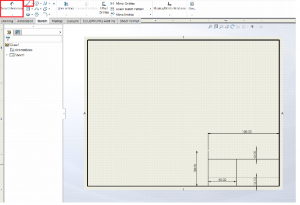
6. Use line command to create title block and apply the dimension by using smart dimension.
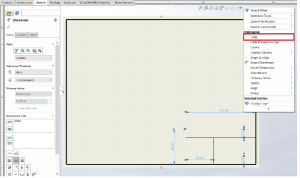
7. select all dimensions right click select hide
8. Select text and write the text.
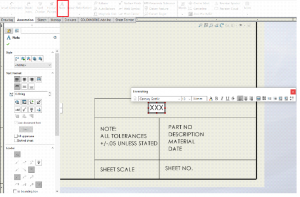
9. Select file,select save sheet format.and Specify the name for the file. click on save.