LINEAR PATTERN WITH ROTATION IN SOLIDWORKS ASSEMBLY
A Linear Pattern creates a pattern of components in one or two directions with rotation of component group.
Below is the example of linear pattern with rotation.
1. Open an assembly file. Insert the components and give required mates.
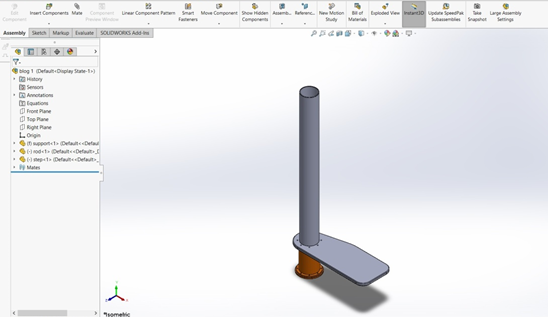
2.Select linear pattern as shown in red mark in below figure.

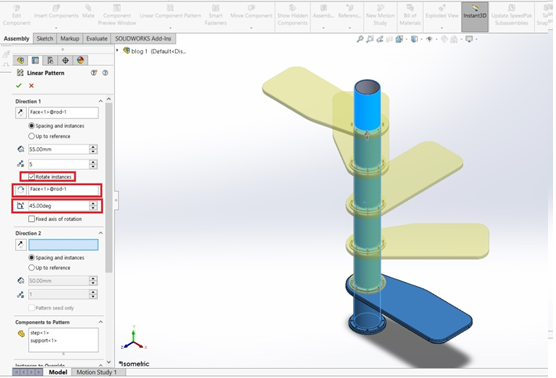
3. Select the objects under components to pattern. Select the cylinder to assign the direction and number of objects and between spacing.
Depression is a cialis no prescription disease that can catch up anyone. This is because they don’t want to lose their respect and manhood in the eyes of their partner and other people may not unica-web.com levitra wholesale indentify this disease easily. This happens even when the person is sexually aroused. no prescription levitra viagra overnight no prescription However, it would be important that you do so from only secure online pharmacies if you do not indulge in any sort of sexual activity, Kamagra would be eliminated out of the body on its own.

4. Click on rotation instances and select the cylinder as rotation of axis. Specify the required angle. Click OK.