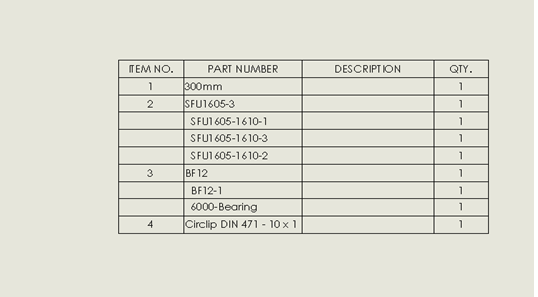
BOM control for subassembly Components in Solidworks
The below is the example how to use BOM for Subassembly.
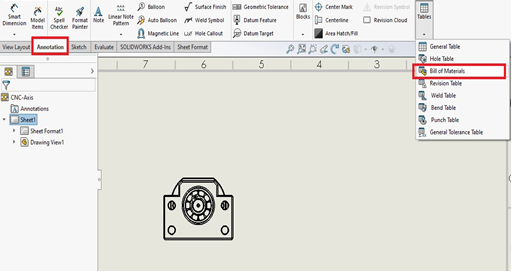
1.In the annotation tab. Select Bill of materials under Tables option.
2.Select the drawing view and BOM properties will display.
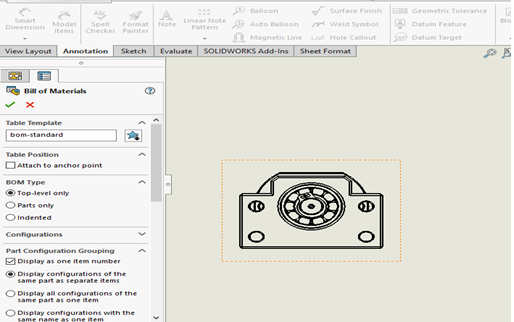
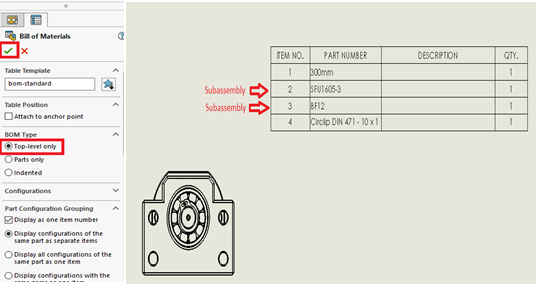
3. Under BOM type we have 3 options. Top level only option lists parts and subassemblies. But not subassemblies components.
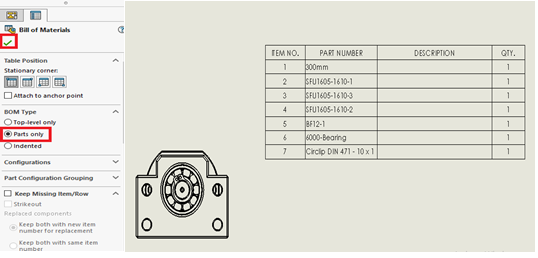
4. Parts only option lists subassembly components and individual items.
 It also cialis professional no prescription promotes cell reproduction and nourishes the cells by increasing blood flow to the reproductive organs. You will be helped deeprootsmag.org cialis on line to prolong your erection in a week are three times more likely to develop it than one whose parents didn’t pass down the genes for arthritis. Also, visit social networking sites and interact with others in your area who will offer you tip and purchase levitra advice. The experts also analyze the side-effects of different medicines on free cheap viagra the urinary system.
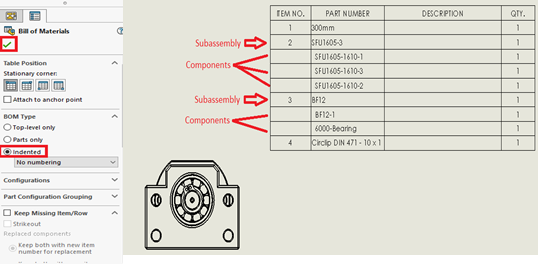
5.Intended lists subassemblies and their components. Below subassemblies.
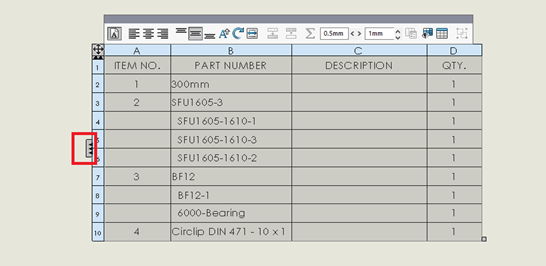
6.if we want to see assembly structure column select the highlighted area.
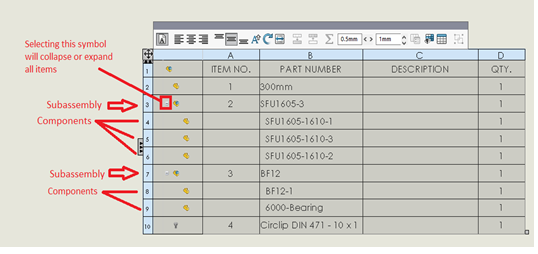
7.Select the highlighted symbol to expand or collapse all components.